
How Long Before Google Chat Shows Away? Idle at 5 Minutes, Away at 10
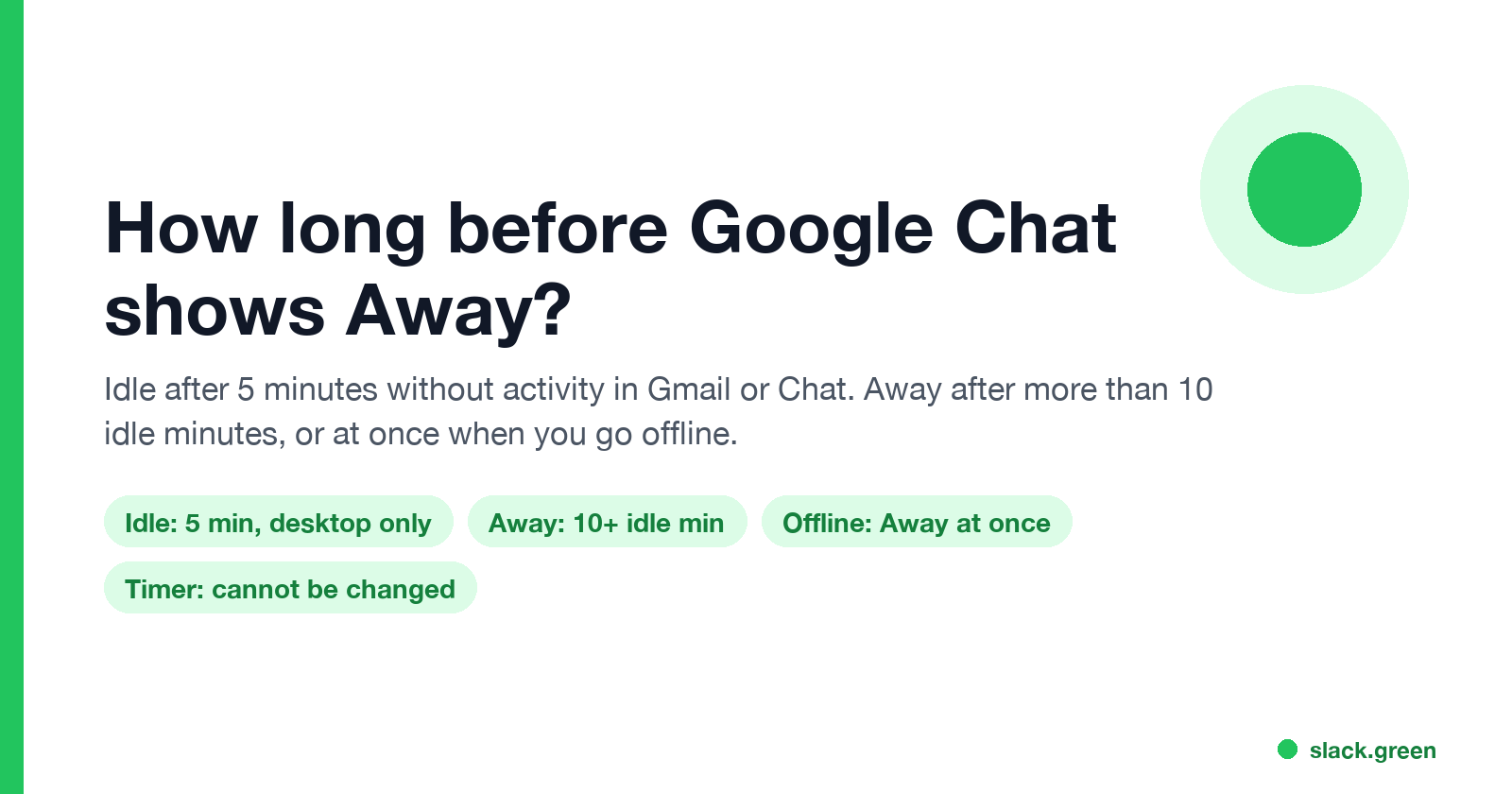
Google Chat shows you Idle after 5 minutes without activity in Gmail or Chat on a computer, and Away once you have been idle for more than 10 minutes. Losing your connection or a sleeping computer shows Away at once. Neither timer can be changed, by you or by a Workspace admin.
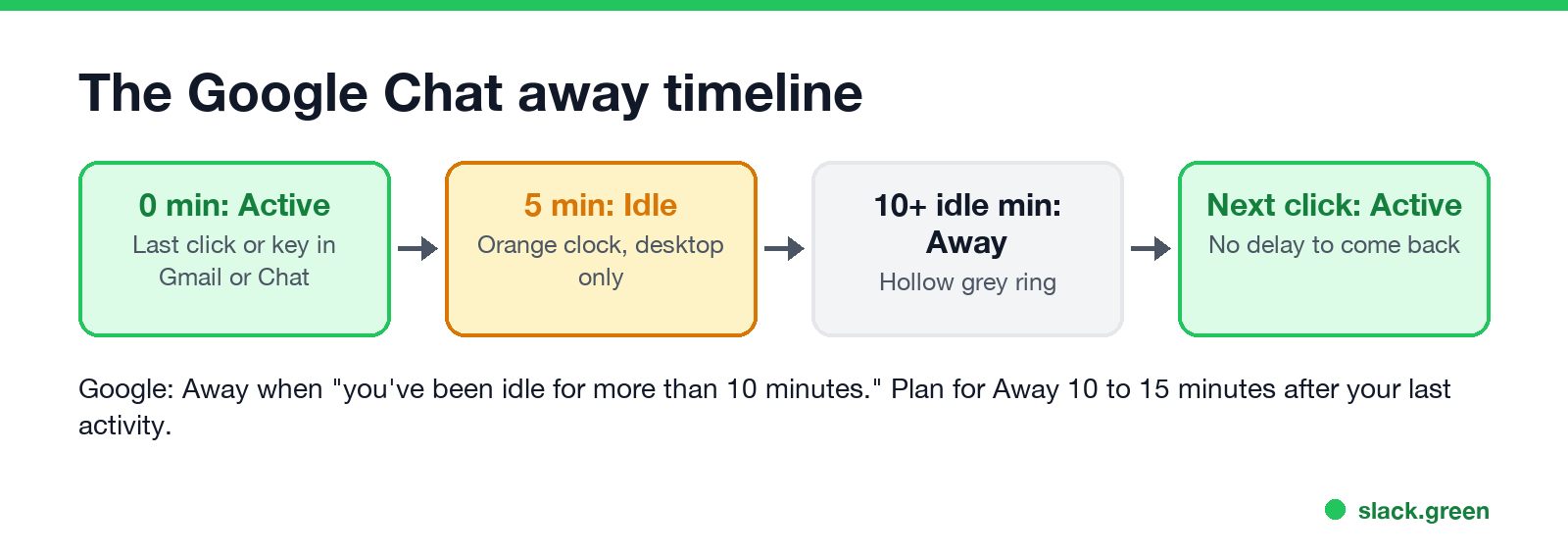
Google Chat changes your status in two steps on a computer. After 5 minutes without activity in Gmail or Google Chat, you show as Idle, an orange clock. After you have been idle for more than 10 minutes, you show as Away, a hollow grey ring. Google Chat Help gives those two numbers and no others. If you lose your internet connection, which includes a computer that goes to sleep, you show Away right away. Neither timer can be changed, not by you and not by a Google Workspace admin.
Only activity in Gmail or Google Chat counts. Typing in Google Docs, a spreadsheet or another app does not, so you can be Idle while you work all morning. The steps to stay green are in how to keep Google Chat active. If your team uses Slack as well, Slack Green keeps your Slack status active during the hours you set, from our servers.
The Google Chat away timeline, minute by minute
| Time since your last activity in Gmail or Chat | Status | Icon |
|---|---|---|
| 0 to 5 minutes | Active | Solid green circle |
| 5 minutes | Idle (desktop only) | Orange circle with a clock |
| More than 10 minutes idle | Away | Hollow grey ring |
| Any time you go offline | Away | Hollow grey ring |
| Your next click or keystroke in Gmail or Chat | Active again | Solid green circle |
Google's help text for Away reads "You've been idle for more than 10 minutes." It does not say whether those 10 minutes start at your last activity or when the Idle status begins. Most readers take it as 10 minutes after your last activity. If it counts from the start of Idle, Away comes at 15 minutes. Either way, plan for Away somewhere between 10 and 15 minutes after you stop using Gmail or Chat.
Coming back is instant. The next click or keystroke in Gmail or Chat turns you green, and there is no delay to wait out.
What counts as activity in Google Chat
Google's wording for Idle is "inactive in Gmail or Google Chat." That sets the rule:
- • Typing, clicking or scrolling in Gmail counts. Gmail and Chat share one status, so answering email keeps you Active.
- • Typing, clicking or scrolling in Google Chat counts, in the browser, in the installed Chat app, or in the Chat panel inside Gmail.
- • Work in other browser tabs does not count, even Google Docs, Sheets or Calendar.
- • Work in other apps on the computer does not count.
- • Having Gmail open in a background tab does not count. Open is what makes you Active at first, but activity is what keeps you there.
That is why "Google Chat shows away while working" is such a common complaint. Someone in a spreadsheet for 20 minutes has not touched Gmail or Chat, so Chat shows them Away.
Why Google Chat shows you Away sooner than 10 minutes
Never appear "away" on Slack again
Cloud-based. No downloads. Works 24/7 even when your laptop is off.
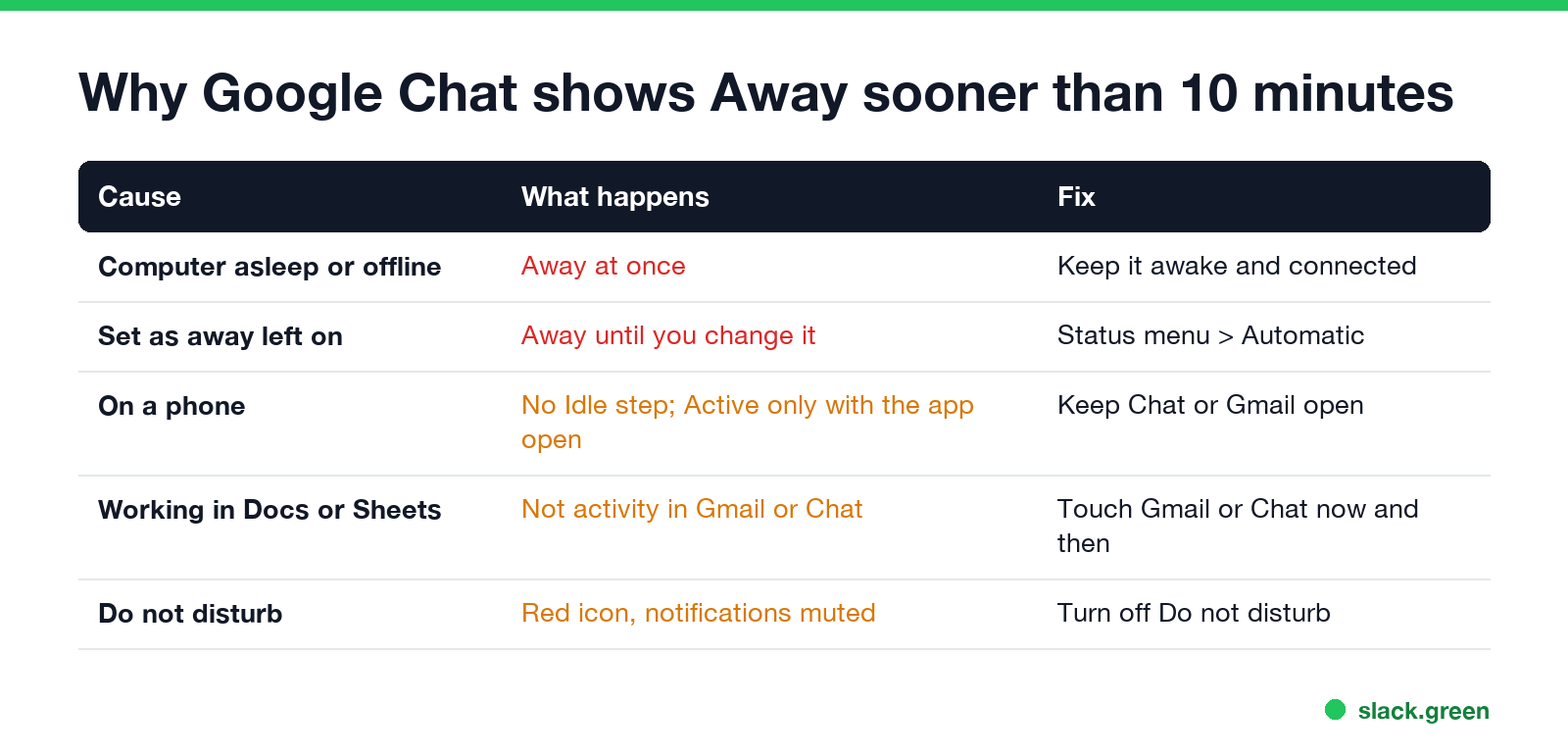
Four things skip the timer:
To check which one applies, open the status menu next to your status indicator at the top of Gmail or Chat. If it says Set as away, pick Automatic.
Can you change the Google Chat away time?
No. Google Chat has no setting for the Idle or Away timer, for users or for admins. The status menu offers only three choices: Automatic, Do not disturb and Set as away. Workspace admins control other things, such as whether Calendar statuses like "In a meeting" and "Out of office" show in Chat, but not the timer.
What you can do instead:
Google Chat vs Teams vs Slack vs Zoom away timers
| App | Away after | What counts as activity | Can you change it? |
|---|---|---|---|
| Google Chat | Idle at 5 min, Away after more than 10 idle min | Only Gmail and Chat | No |
| Microsoft Teams | About 5 min | Any input on the computer | No |
| Slack | 10 min | Only input in the Slack window | No |
| Zoom | 15 min by default | Any input on the computer | Yes, in Zoom settings |
Google Chat and Slack are the strict ones, because both count only their own windows. Teams counts input anywhere on the computer, as covered in how long before Teams shows you as Away. Every Google Chat icon, including calendar statuses, is in Google Chat status icons meaning.
Google Chat away questions
Never appear "away" on Slack again
Cloud-based. No downloads. Works 24/7 even when your laptop is off.
How long until Google Chat says I am idle? 5 minutes without activity in Gmail or Chat, on a computer.
How long before Google Chat shows Away? After you have been idle for more than 10 minutes, or at once if you go offline or choose Set as away.
Does Google Chat show Away when my screen locks? Locking alone stops your activity, so the normal timer runs. If the computer then sleeps or loses its connection, you show Away at once.
Does using Google Docs keep me active in Google Chat? No. Only activity in Gmail or Google Chat counts.
Stop Jiggling Your Mouse.
Join hundreds of remote workers who never worry about their Slack status. Set it up once, stay green forever.
Related Articles
KeepingYouAwake vs Amphetamine: Which Mac Keep-Awake App to Use
KeepingYouAwake is a free, open-source menu bar switch that runs Apple's caffeinate for you. Amphetamine is a free App Store app with triggers, schedules and a closed-lid mode. Pick KeepingYouAwake for one click and Homebrew, Amphetamine for automation. Neither keeps Slack or Teams active.
Computer Locks After 15 Minutes? How to Tell If Group Policy Set It
A work laptop that locks after exactly 15 minutes, with screen settings greyed out, is almost always following a policy from IT: the Windows machine inactivity limit, a forced screen saver, or an Intune device lock. Security baselines and PCI DSS ask for 15 minutes. How to see which policy it is, and what you can and cannot change.
How to Keep a Citrix Session Active: Find Which Timeout Logs You Out
A Citrix session can end from four different timers: Windows locking inside the virtual desktop, the Citrix session idle timer, the Citrix Gateway session time-out, and the StoreFront web page timeout. Only input from your own device into the Citrix window resets them. How to tell which one hit you and what keeps each one quiet.