
How to Change the Font Size in Slack on Desktop and Mobile
To change the font size in Slack on desktop, press Cmd and + (Ctrl and + on Windows) to zoom in and Cmd and - to zoom out, or set a zoom level in Preferences, Accessibility. On iPhone and Android, Slack follows your phone's text size. Plus the font setting, the browser, and how to make text stand out for readers.
To change the font size in Slack on desktop, press Cmd and + on a Mac or Ctrl and + on Windows and Linux to make text bigger, and Cmd and - or Ctrl and - to make it smaller. To keep a size, open Preferences, Accessibility, and pick a level under Zoom. On iPhone and Android, Slack has no text size setting of its own; it follows the font size you set on the phone. None of this changes what your coworkers see. Slack messages have no font size option, so bold text or a canvas heading is the way to make a line stand out.
We build Slack Green, which keeps your Slack status green from our servers during the hours you set. We also make a free Slack message formatter that shows how bold, lists and code look in Slack before you post.
Make Slack text bigger or smaller, by device
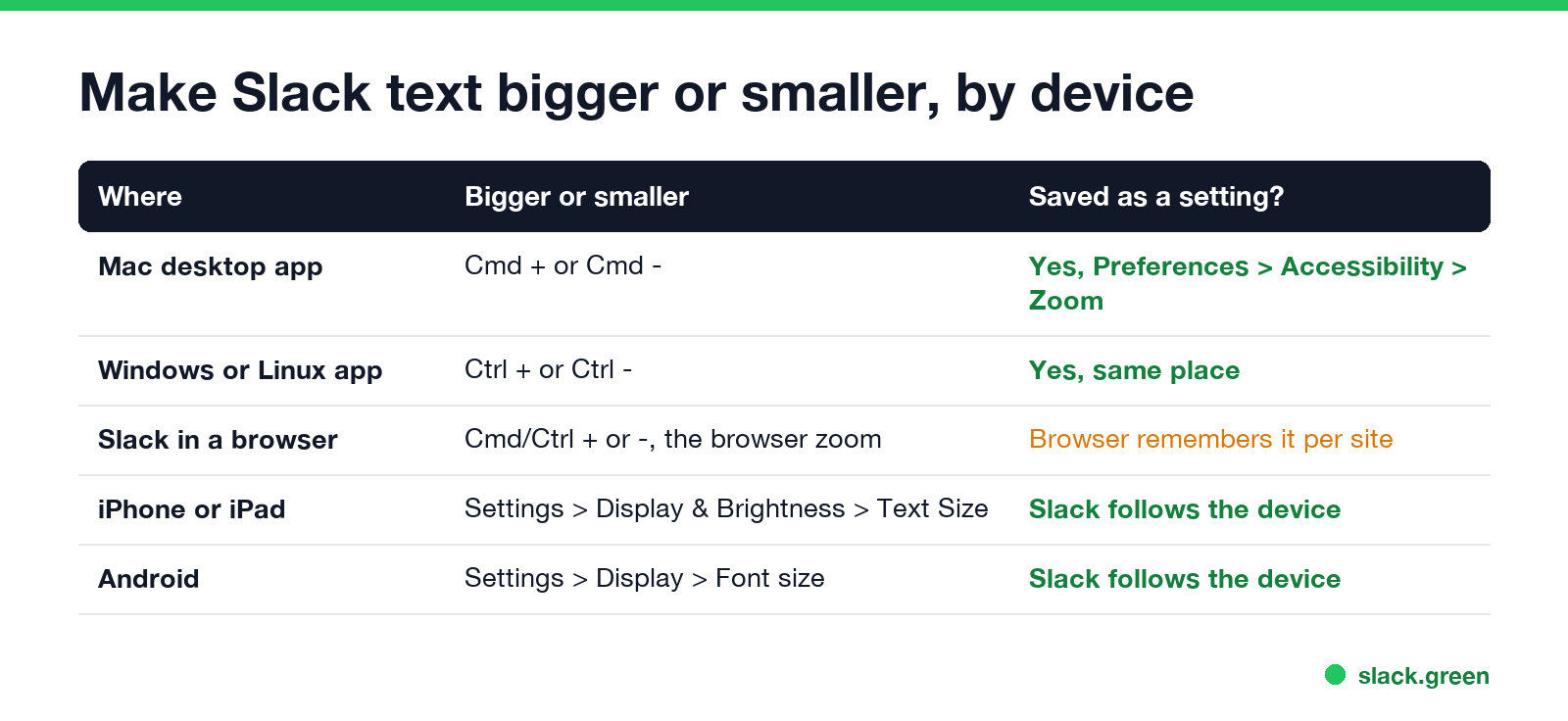
| Where | Bigger or smaller | Kept as a setting? |
|---|---|---|
| Mac desktop app | Cmd and + or Cmd and - | Yes, Preferences, Accessibility, Zoom |
| Windows or Linux app | Ctrl and + or Ctrl and - | Yes, same place |
| Slack in a browser | Cmd or Ctrl and + or -, which is the browser's zoom | The browser remembers it for app.slack.com |
| iPhone or iPad | Settings, Display & Brightness, Text Size | Slack follows the device |
| Android | Settings, Display, Font size | Slack follows the device |
On some keyboards the + key needs Shift, so Cmd+Shift+= does the same as Cmd and +. Cmd+0 or Ctrl+0 puts the desktop app back at its normal size.
Set a zoom level in Slack preferences
Slack's help center gives these steps for the desktop app:
- Click your profile picture in the sidebar.
- Select Preferences.
- Click Accessibility.
- Under Zoom, select your zoom level.
The zoom setting scales everything in Slack: messages, the sidebar, names and buttons. It is only in the desktop app. In a browser the option does not appear, and you use the keyboard shortcut, which changes the browser's own zoom for that tab.
If the text is fine but the layout feels cramped or too spread out, try the message theme under Preferences, Messages & media. Compact fits more messages on the screen and hides profile photos; Clean is the default.
Change the font in Slack
Never appear "away" on Slack again
Cloud-based. No downloads. Works 24/7 even when your laptop is off.
Slack also lets you pick a different font. On desktop, click your profile picture, choose Preferences, then Appearance, and choose an option under Font. Slack says this works on desktop and in the browser, for Latin-based languages, and you set it for each workspace you are in. It changes the typeface, not the size; for size, use zoom.
Slack font size on iPhone and Android
The Slack mobile apps do not have a zoom setting. Slack's help center says the app matches the font size in your device settings:
Close and reopen Slack if the text does not change right away. This changes the text size in every app on the phone, not only Slack.
Can you change the font size of a Slack message?
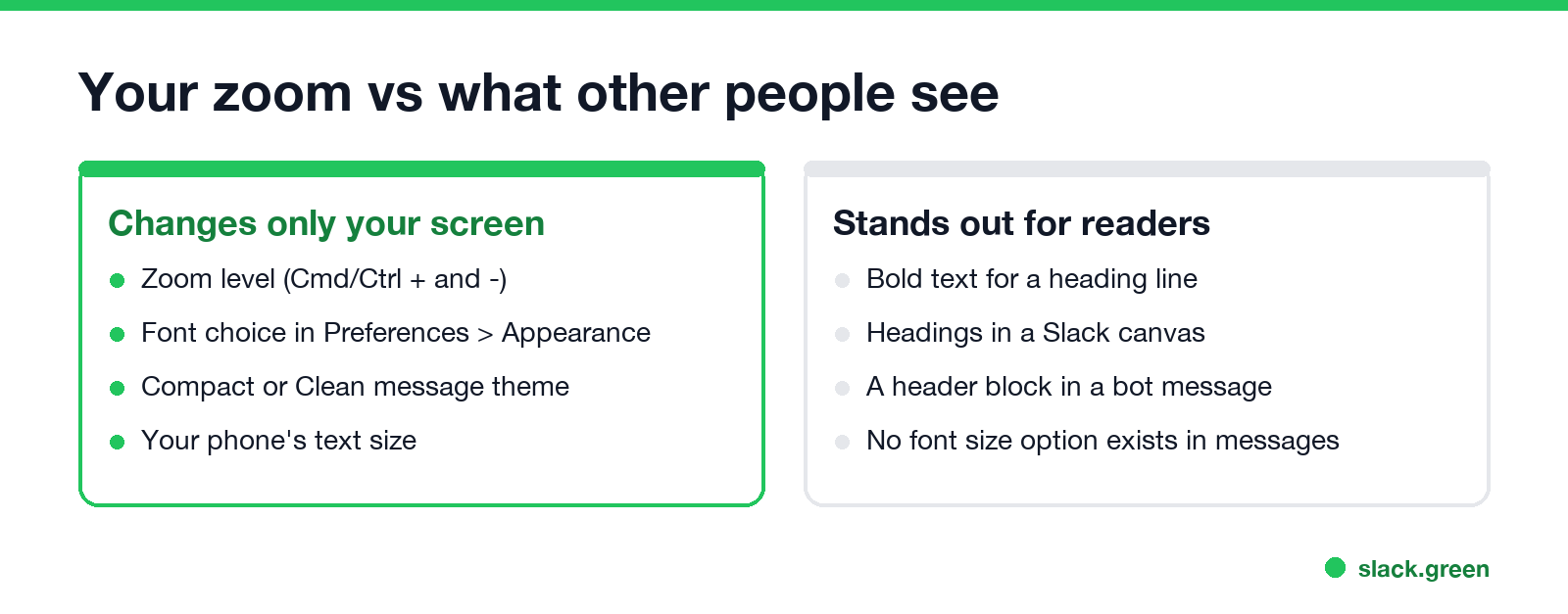
No. There is no font size button in the Slack message field, and markdown headings with a # do not work in messages. Everyone reads your message at the size they chose. To make a line stand out anyway:
header block shows larger bold text:{
"blocks": [
{ "type": "header", "text": { "type": "plain_text", "text": "Release 2.4 is live" } },
{ "type": "section", "text": { "type": "mrkdwn", "text": "Dark mode, faster search, and 12 bug fixes." } }
]
}The header text must be plain_text, so no bold or links inside it. To convert a markdown document with # headings into something Slack shows well, use our Markdown to Slack converter; it turns headings into bold lines.
Slack text too small or too big after an update
Never appear "away" on Slack again
Cloud-based. No downloads. Works 24/7 even when your laptop is off.
More shortcuts, including the formatting keys, are in our Slack keyboard shortcuts guide.
FAQ
How do I make Slack text bigger? Press Cmd and + on a Mac or Ctrl and + on Windows and Linux, or set Zoom in Preferences, Accessibility.
How do I make Slack text smaller? Press Cmd and - or Ctrl and -. Cmd+0 or Ctrl+0 resets the size.
Can I change the font size in a Slack message? No. Use bold for a title line, a canvas for headings, or a header block in a bot message.
Why can't I find the Zoom setting in Slack? It is only in the desktop app. In a browser, use the keyboard shortcut.
How do I change the font size in the Slack app on my phone? Change the text size in your phone's settings. Slack follows it.
Stop Jiggling Your Mouse.
Join hundreds of remote workers who never worry about their Slack status. Set it up once, stay green forever.
Related Articles
Slack Status for Limited Availability: 30 Statuses to Copy
A Slack status for limited availability says you are around but slow, until when, and how to reach you if it is urgent, such as ⏳ 'Limited availability today, replies after 3 PM. Urgent: @mention me.' 30 statuses for busy days, slow replies and catching up, the emoji to use, and when to pause notifications too.
Slack Emoji for Thank You (and You're Welcome)
The usual Slack emoji for thank you are 🙏 :pray:, 🙌 :raised_hands: and ❤️ :heart:. For you're welcome, 😊 :blush: or 🤗 :hugging_face:. What each one says, which ones read wrong, and custom :ty:, :np: and :welcome: emoji your team can add in a minute.
Slack Emoji for Condolences: What to React With, and What to Say
The right Slack emoji for condolences are ❤️ :heart:, 🙏 :pray:, 🤗 :hugging_face:, 💐 :bouquet:, 🕯️ :candle: and 🕊️ :dove_of_peace:. Avoid 👍, ✅ and 👀, which read as 'noted'. Add a few words in the thread or a DM. Short condolence messages, get-well emoji, and custom 'thinking of you' emoji.