
Top 5 Tools to Keep Your Slack Status Green, Compared
Five tools people use to keep the Slack dot green, ranked by two questions: does it create input inside Slack, and does it survive a closed laptop. Honest verdicts, including for our own tool.
Every tool that promises a green Slack dot answers two questions. Does it create input inside Slack, which is the only thing the timer counts? And does it survive a closed laptop? Rank the five popular options by those two questions and the verdicts write themselves.
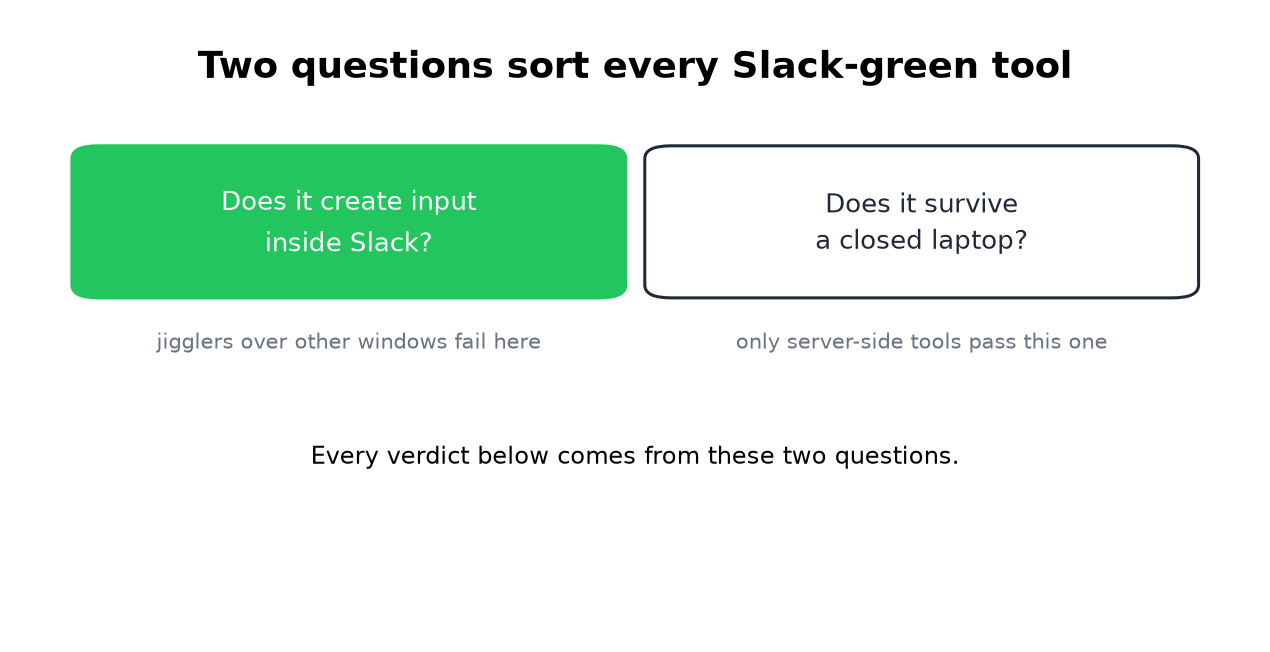
We build one of the five, so read the verdicts knowing that, and check our math against the full method guide.
1. Physical mouse jigglers ($25-35)
USB devices that move your cursor. Popular models: WiebeTech MJ-3, Tech8 USA, Vaydeer.
The catch is the first question. A jiggler creates input wherever the cursor sits. Over your email it keeps the machine awake and the dot gray. Parked over the Slack window it works, while the machine stays on and unlocked. The full jiggler comparison covers detection risk too.
Verdict: 3/5. Works only when aimed correctly, dies with the lid.
2. Chrome extensions (free)
Browser add-ons that simulate activity inside the Slack tab. The right target, question one passed. The problems are supply and trust: the most popular one was pulled from the Web Store in 2024, several clones carry malware, and your browser has to stay open on an unlocked machine.
Verdict: 2.5/5. Right idea, fragile ecosystem. The full story of the category, including the 2024 removals, is in Slack Chrome extensions.
3. Custom scripts (free)
Never appear "away" on Slack again
Cloud-based. No downloads. Works 24/7 even when your laptop is off.
Python, PowerShell, or AutoHotkey feeding synthetic input, or calling Slack's presence endpoint directly with your session tokens. Free, and exactly as good as your maintenance. IT policy is the real risk on a managed machine.
Verdict: 3/5. Good for people who enjoy owning the problem. There is a middle path: our self-hosted CLI runs the script side with the token handling done for you.
4. Slack Green (free tier / Pro)
Our tool, so grade this verdict accordingly. A server signs in with your own session and feeds presence on a schedule. Both questions pass: the input is real Slack traffic, and the laptop can be shut. Free tier holds sessions up to 2 hours; Pro adds schedules and 24/7. The cost of the whole category, ours included: a service holds your session token, so read the security notes.
Verdict: 4.5/5. The half point off is the trust requirement.
5. Manual workarounds (free)
Touch Slack every few minutes, keep the phone screen on, start a solo huddle. All free, all real, all exhausting past an afternoon.
Verdict: 2/5. Emergency use.
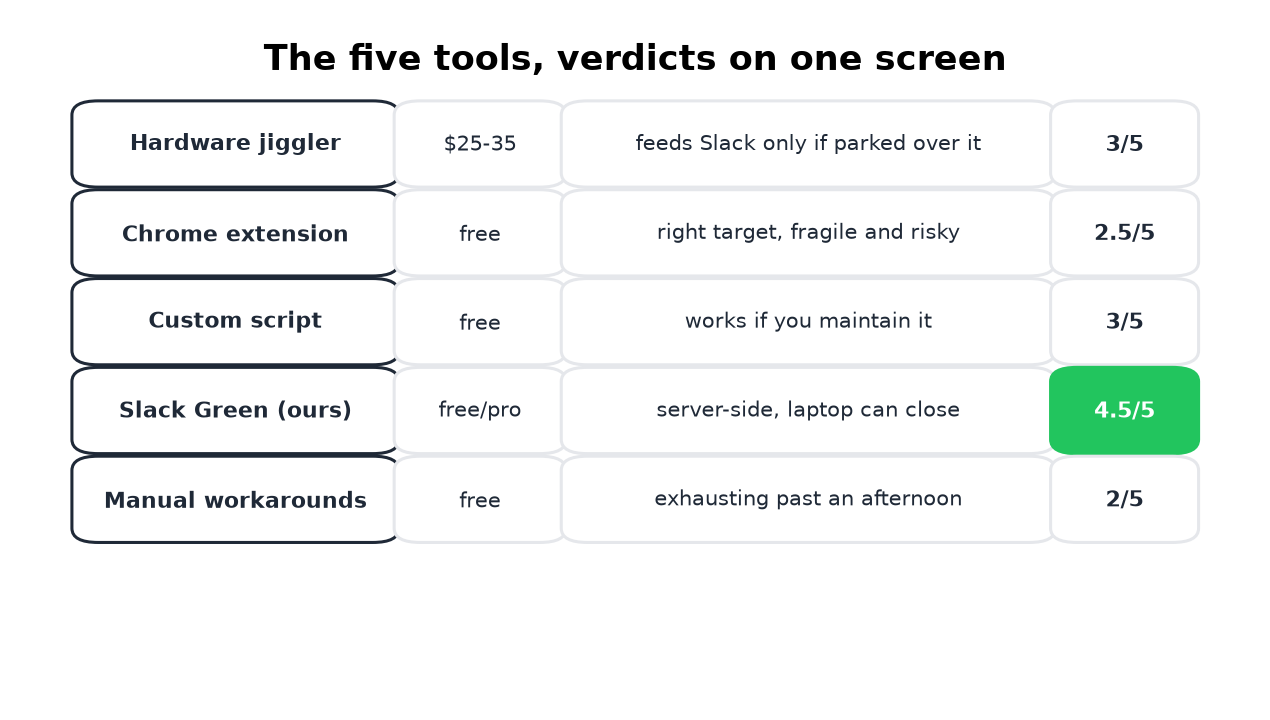
Quick comparison
Never appear "away" on Slack again
Cloud-based. No downloads. Works 24/7 even when your laptop is off.
| Tool | Cost | Feeds Slack input | Laptop closed | Reliability |
|---|---|---|---|---|
| Mouse jiggler | $25-35 | Only over Slack | No | Medium |
| Chrome extension | Free | Yes | No | Low |
| Custom script | Free | Yes | Sometimes | Medium |
| Slack Green | Free/$3.99 | Yes | Yes | High |
| Manual | Free | Yes | No | Low |
Which one fits you
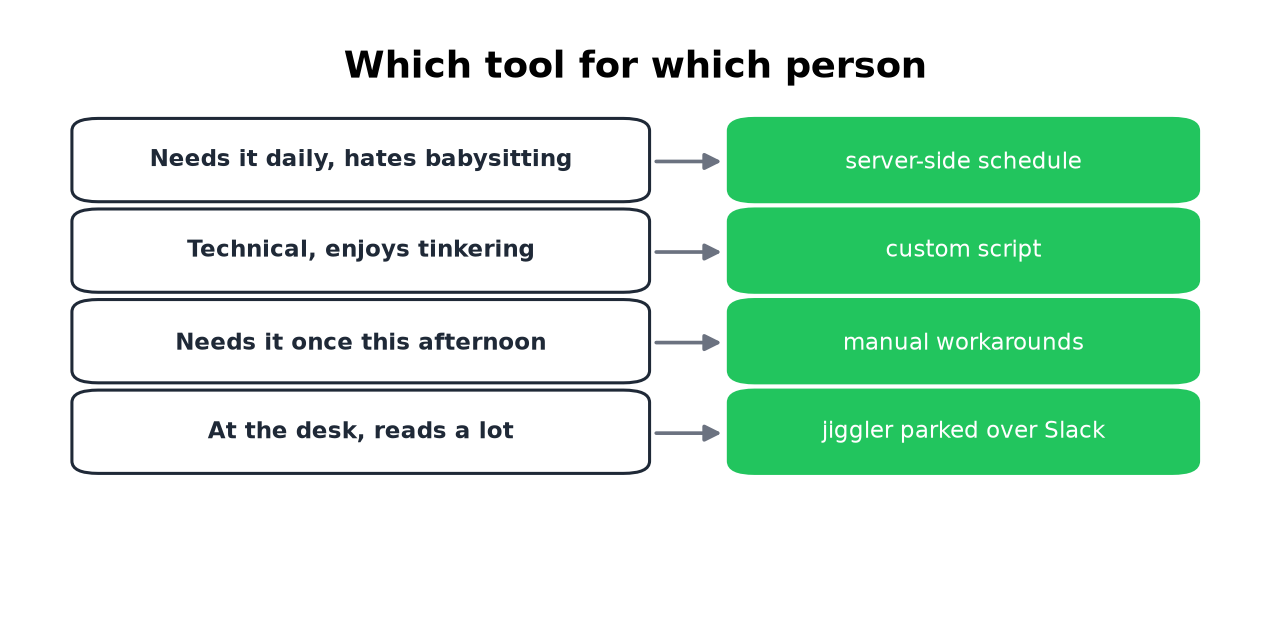
- • Daily need, no appetite for babysitting: the server-side schedule.
- • Technical and curious: a script, or the self-hosted CLI.
- • One afternoon, right now: manual workarounds.
- • At the desk anyway, mostly reading: a jiggler parked over Slack.
The wrong answer is the one that fails your actual constraint. A jiggler cannot help a closed laptop, and a server-side tool is overkill for one afternoon. Pick by constraint, then by price.
Stop Jiggling Your Mouse.
Join hundreds of remote workers who never worry about their Slack status. Set it up once, stay green forever.
Related Articles
How to Show Spotify in Your Slack Status (3 Ways, One Free Script)
Slack has no built-in Spotify status. To show the song you are playing, add a Slack Marketplace app such as SpotMyStatus or Now Playing, sign in to Spotify, and it writes the track and artist into your status and clears it when you stop. Setup for each option, a free script for Mac, and what the status does not change.
How to Sync Your Zoom Status With Slack
The Zoom app for Slack can set your Slack status when you join a Zoom meeting or a Zoom Phone call: type /zoom config in Slack, open Settings, and turn on Enable Zoom Sync presence to Slack status. Steps, admin approvals, the calendar and third-party alternatives, and why none of them keeps your Slack dot green.
How to Add a GIF in Slack: Picker, /giphy and Uploads
Slack has a built-in GIF picker: click the smiley face in the message field, click GIFs, search, pick one and press Send. It works on desktop and mobile with no app. The /giphy command, uploading your own GIF, and animated GIF emoji are the other ways, plus what to check when GIFs are missing.