
Does Playing a Video Keep Your Computer Awake? Yes, With Limits
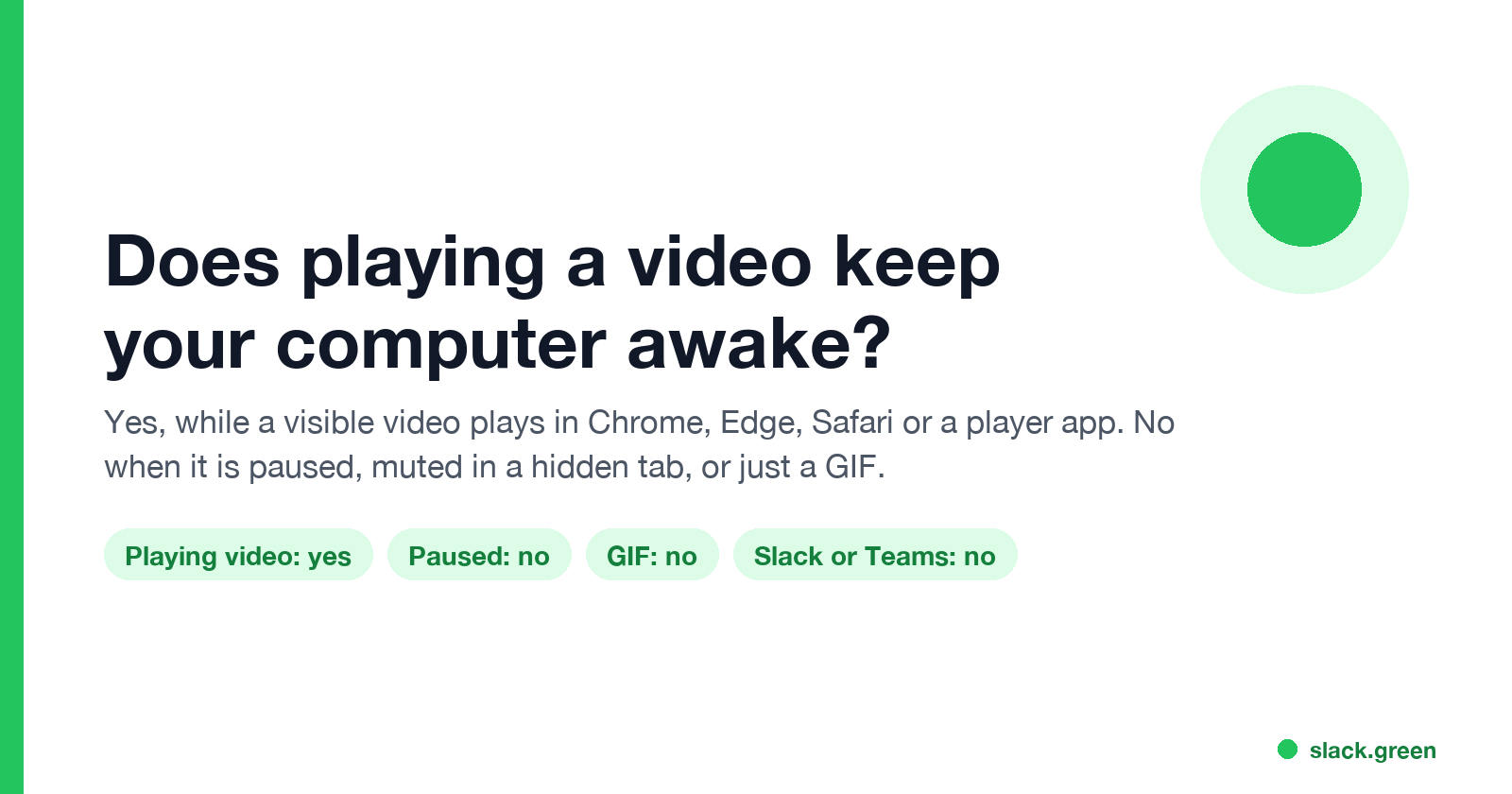
Yes. A video playing in Chrome, Edge, Safari or a player app keeps the screen on and stops the computer from sleeping, because the player asks the system for a wake lock. It stops working when the video is paused, muted in a hidden tab, or is only a GIF, and it never counts as activity for Slack or Teams.
Yes, playing a video keeps your computer awake while it plays. Chrome, Edge, Safari, Firefox and player apps such as Netflix, VLC and Media Player ask Windows or macOS for a wake lock during playback. That stops the display from turning off and the computer from sleeping. The lock ends when the video pauses or ends. In Chrome and Edge it also ends for a muted video in a hidden tab. An animated GIF never takes one. A video also creates no keyboard or mouse input, so Slack and Microsoft Teams still show you as away.
That last point is why we care. We build Slack Green, which keeps a Slack status green from a server. A video that keeps the screen on does nothing for Slack, as covered in does playing a YouTube video keep Slack active.
What a video keeps awake, case by case
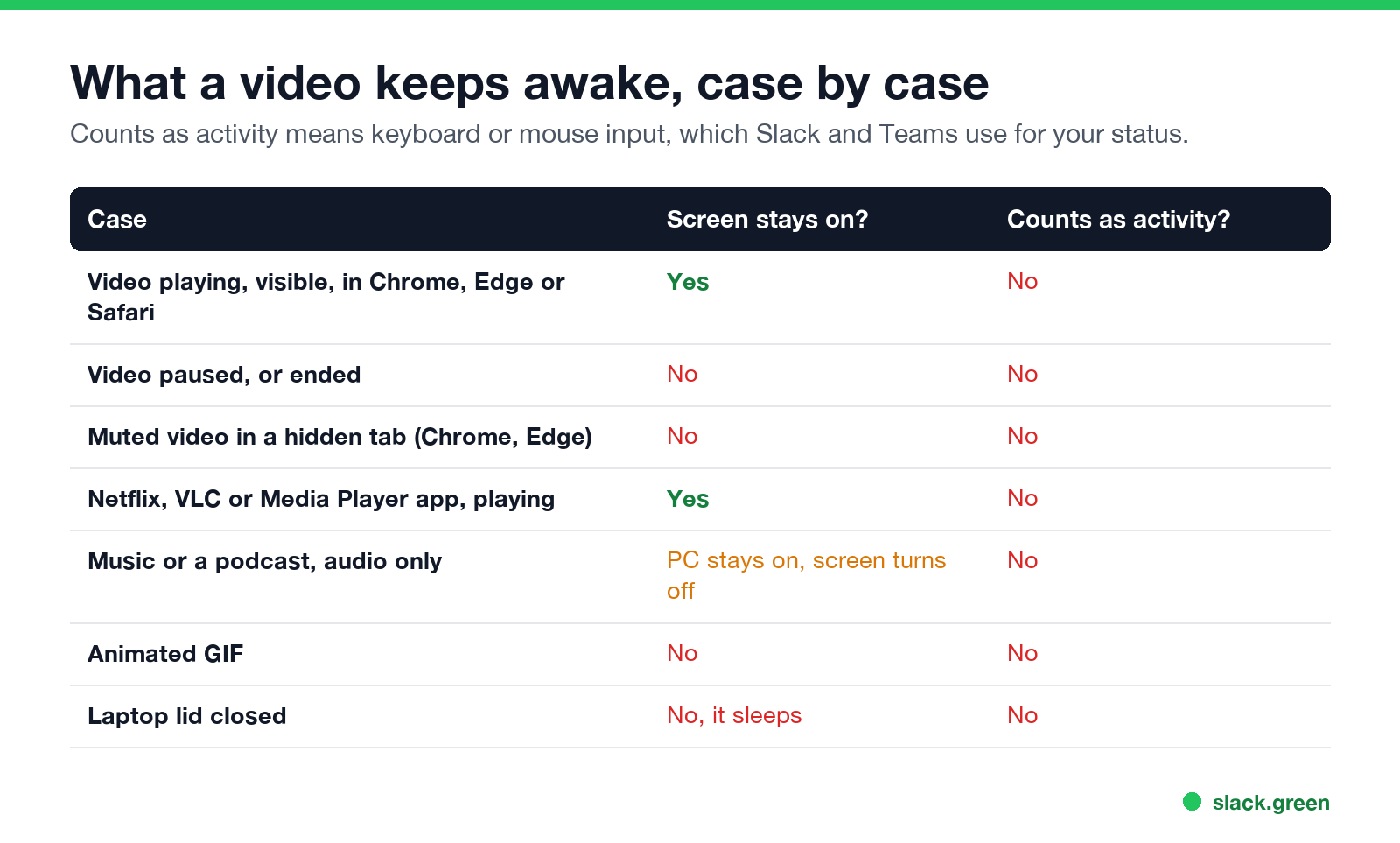
| Case | Screen stays on? | PC stays awake? | Counts as activity? |
|---|---|---|---|
| Video playing and visible in Chrome, Edge, Safari or Firefox | Yes | Yes | No |
| Video paused or ended | No | No | No |
| Muted video in a hidden tab or minimized window (Chrome, Edge) | No | No | No |
| Netflix, VLC or Media Player app, playing | Yes | Yes | No |
| Music or a podcast, audio only | No | Usually, on Windows | No |
| Animated GIF on a page | No | No | No |
| Laptop lid closed | No | No, it sleeps | No |
"Counts as activity" means keyboard or mouse input. Apps that show your status, and many company idle policies, look for input, not for a wake lock.
Why a video keeps the screen on
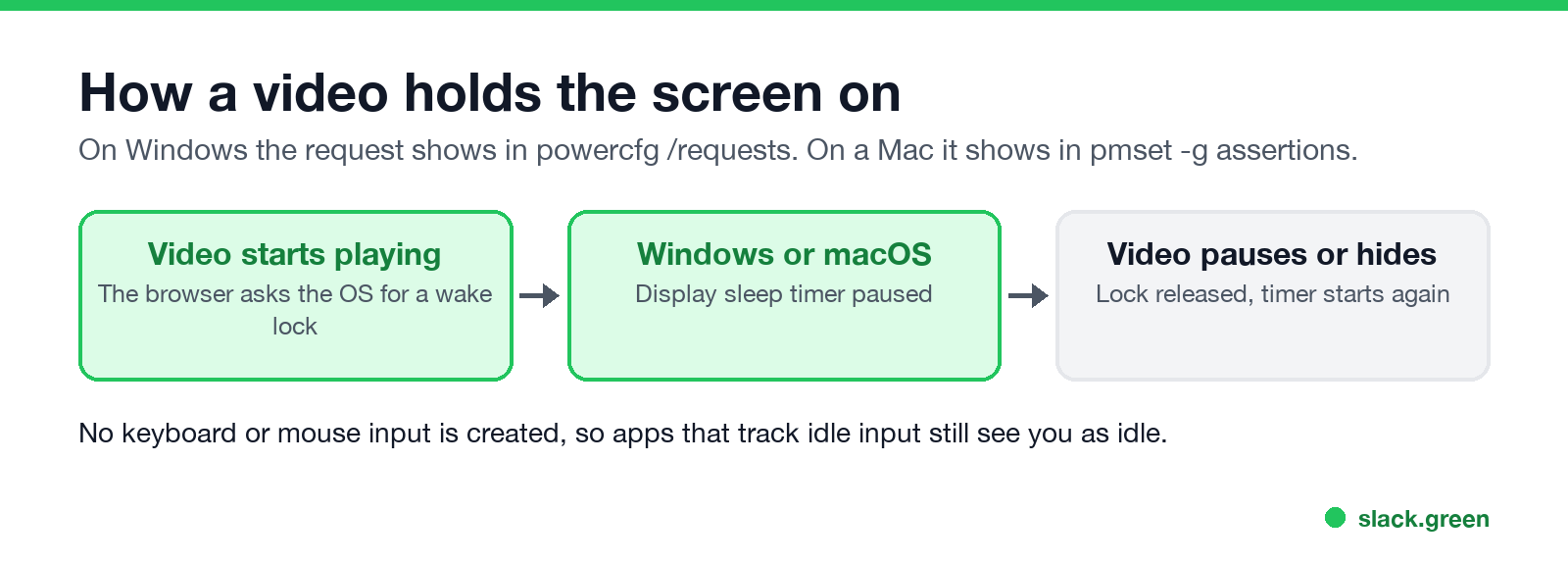
When a video starts, the browser or player sends the operating system a request to keep the display on. Windows calls it a power request and macOS calls it a power assertion. While the request is active, the display sleep and system sleep timers do not run. When the video pauses, the request is released and the timers start from zero.
Chrome and Edge label theirs "Video Wake Lock". Since 2020, Chromium has skipped the lock for muted videos that are out of view, per Chromium issue 40694475, because a user would not notice them. Audio-only playback is different. On Windows an open audio stream usually keeps the PC from sleeping, but it does not keep the screen on, so the screen still turns off and locks.
Check whether a video is holding your computer awake
Never appear "away" on Slack again
Cloud-based. No downloads. Works 24/7 even when your laptop is off.
On Windows, open Command Prompt as administrator while the video plays and run:
powercfg /requestsUnder DISPLAY: you should see the browser, for example [PROCESS] \Device\HarddiskVolume3\Program Files\Google\Chrome\Application\chrome.exe followed by Video Wake Lock. Pause the video and run it again: the line is gone.
On a Mac, open Terminal while the video plays and run:
pmset -g assertions | grep -i -E 'PreventUserIdleDisplaySleep|wake lock'A line naming Chrome, Safari or your player with PreventUserIdleDisplaySleep means the video is keeping the display awake.
Does YouTube keep your screen awake?
Yes, while the video plays in a visible tab or the YouTube app. That is why "keep screen awake" videos on YouTube, often 10 hours of a black screen or a slow animation, work. They stop working the moment the video ends, autoplay stops, or a "Video paused. Continue watching?" prompt appears after a long idle time. The prompt pauses the video and releases the lock.
Does a GIF keep your screen awake?
No. A GIF is an image, and browsers do not request a wake lock for images. Some sites serve "GIFs" as short muted videos. Those hold the lock only while they are playing and on screen. A GIF is not a reliable way to keep a screen on.
Does Netflix keep your computer awake?
Never appear "away" on Slack again
Cloud-based. No downloads. Works 24/7 even when your laptop is off.
Yes, during playback in the Netflix app or in a browser. After several episodes with no input, Netflix asks "Are you still watching?" and pauses. The computer can then sleep on its normal timer.
A video is a poor keep-awake tool
A video uses battery, network and CPU to do what one setting or one command does. It fails on a pause prompt, and it never counts as input. Better options:
| Need | Use |
|---|---|
| Screen on for a download or presentation | Change the sleep setting, or PowerToys Awake on Windows |
| Mac awake from Terminal | caffeinate -d, as in caffeinate on Mac |
| A menu bar or tray app | The best app to keep your Mac awake, Caffeine for Windows |
| A locked-down work laptop | Keep a work computer awake without admin rights |
| A Windows lock screen that keeps appearing | How to stop Windows 11 from locking |
| Slack showing active | How to keep Slack active |
FAQ
Does a video stop my computer from sleeping?
Yes, while it plays and is visible. The browser or player holds a wake lock until you pause it.
Does a muted video keep the screen on?
In a visible tab, yes. In a hidden tab or a minimized window, Chrome and Edge drop the lock for muted videos.
Does a video keep me active on Teams or Slack?
No. Both look for keyboard or mouse input. Teams shows you away after about 5 minutes without input anywhere on the computer, and Slack after 10 minutes without input in Slack.
Does a video stop the laptop sleeping when I close the lid?
No. Closing the lid follows its own power setting. See keep a laptop awake with the lid closed.
Will a company lock policy still lock my screen during a video?
It can. Some company policies lock the screen after a fixed idle time based on input, not on the display timer.
Stop Jiggling Your Mouse.
Join hundreds of remote workers who never worry about their Slack status. Set it up once, stay green forever.
Related Articles
How to Keep Skype Status Active: Skype for Business Idle Timers
To keep your Skype for Business status active, open Options, Status, and raise both idle timers, Inactive and then Away, from 5 minutes to as much as 360 minutes each. Consumer Skype shut down on May 5, 2025 and Skype for Business Online in 2021, so for most people the real question is now Teams. What still works, status icons, Outlook, and status not updating.
Is It Legal for My Employer to Monitor Me? US, EU and UK Rules
In the US it is mostly legal for an employer to monitor company devices, accounts and premises, often without asking. The limits are state notice laws in New York, Connecticut and Delaware, consent rules for audio recording and biometrics, bans on cameras in restrooms, and your personal devices. The EU, UK and parts of Canada and Australia add notice and proportionality rules.
Can My Employer See My Personal Email on My Work Computer?
Your employer cannot sign in to your Gmail, and doing so without permission can break the Stored Communications Act. But on a work computer, screenshot and keystroke monitoring, browser history, HTTPS inspection and Outlook's local cache can all expose personal email. Work email is fully visible, deleted messages included. Case by case, with what to do.