
Slack Status: The Dot, Custom Status, and Whether Slack Is Down
Slack status means two things: the presence dot Slack sets from your activity (green active, hollow away) and the custom emoji and text you set yourself. What each shows, how to set and schedule a status, what to write, and how to check if Slack is down.
Slack status means two things. The first is the presence dot next to your name: solid green when you are active, hollow when you are away. Slack sets it for you from your activity, and on a computer it turns away 10 minutes after your last input in the Slack window. The second is your custom status: an emoji and up to 100 characters of text, such as 📆 In a meeting, that you set yourself and that clears at the time you choose. If you searched for Slack's service status because Slack is not loading, check slack-status.com, Slack's official status page.
This page covers all three and links to a detailed guide for each question. The one part of Slack status you cannot set is the green dot. Slack Green handles that: it keeps your presence active from the cloud during the working hours you set, with nothing installed on your computer.
What are the Slack statuses?
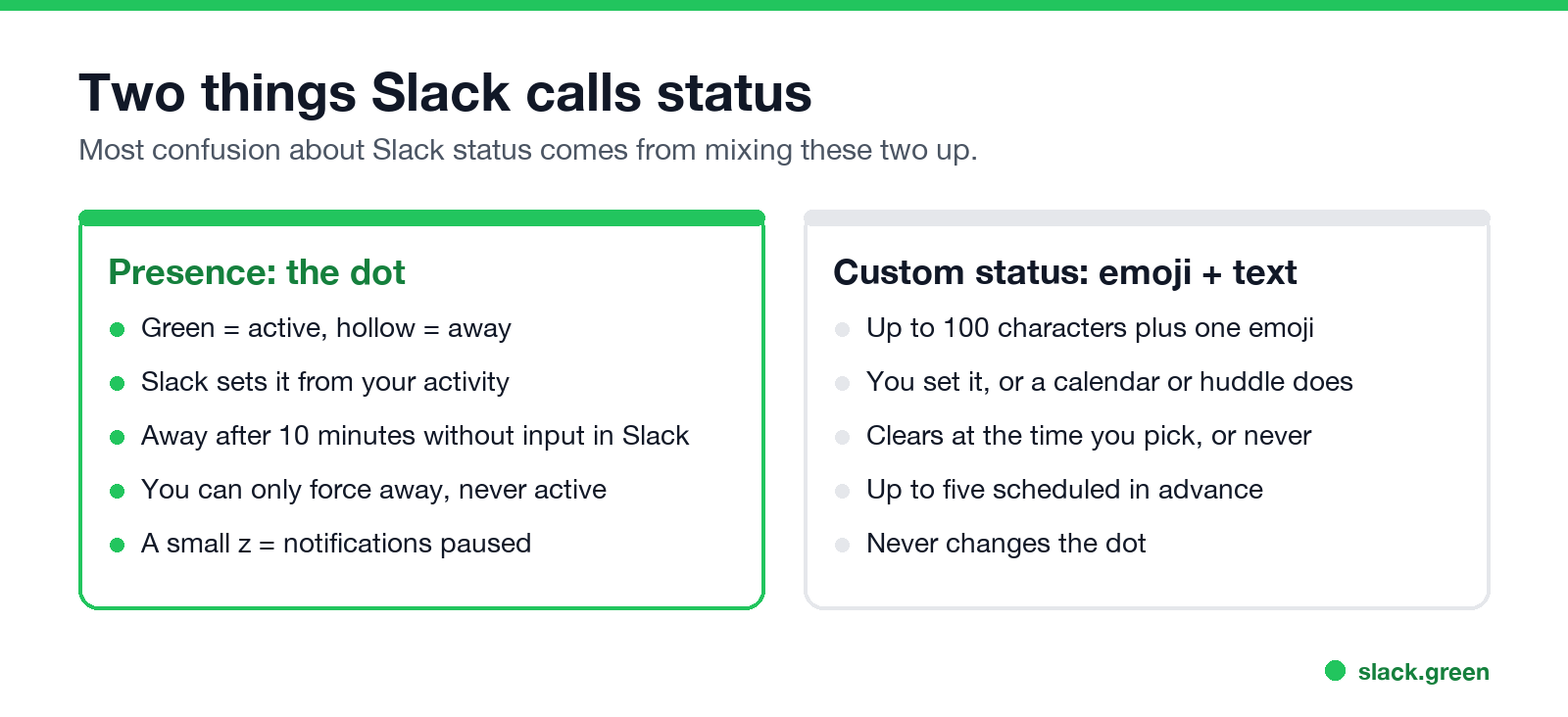
| Presence (the dot) | Custom status (emoji and text) | |
|---|---|---|
| What people see | Solid green or hollow dot, maybe with a small z | An emoji after your name, the text on hover or in your profile |
| Who sets it | Slack, from your activity. You can force away only | You, or an app such as a calendar |
| Values | Active or away | Any emoji and up to 100 characters |
| How it changes | Away after 10 minutes without input in Slack on a computer | Clears at the time you picked, or never |
Slack's help center uses the words the same way: a status is a message that lets others know what you are up to, and availability is the dot next to your name.
Slack presence: green, away and the z
The dot has two states. Solid green means active: Slack is open and in use on a computer, or open on screen on a phone. Hollow or grey means away. A small z on either dot means the person paused notifications. Slack has no separate offline state.
- • Every icon and shape next to a name, from the z to the guest triangle: Slack status icons meaning.
- • What the grey dot tells coworkers: Slack away status meaning.
- • How Slack decides, and the 10-minute rule: how Slack active status works and how long does Slack stay active.
- • Showing away while you work: why Slack keeps showing you as away and how to stop it.
- • Looking away on purpose: how to appear offline on Slack.
- • What Slack does with no internet: Slack offline mode.
The only presence controls Slack gives you are Set yourself as away and Set yourself as active, and "active" only undoes a manual away. To keep the dot green through meetings and reading, Slack Green keeps it active on a schedule. Every method is compared in how to keep Slack active.
Custom status: how to set one
Never appear "away" on Slack again
Cloud-based. No downloads. Works 24/7 even when your laptop is off.
On mobile, tap your profile picture, then the status field, then Clear after and Done. Full steps for both, and how to clear a status: how to change your status on Slack.
Slack status options and limits
If a status keeps vanishing, it usually has an expiry you did not notice or an app replacing it: Slack keeps clearing my status. If it will not change at all, see Slack status not updating.
Automatic statuses
Some statuses set themselves:
What to put in your Slack status
A useful status answers the question a coworker would ask: where you are, when you are back, and who to ask meanwhile. "In workshops until 3, @maria for urgent" does all three in 39 characters.
Is Slack down? Check Slack's service status
Never appear "away" on Slack again
Cloud-based. No downloads. Works 24/7 even when your laptop is off.
If Slack will not load, messages will not send, or everyone looks offline at once, check whether the problem is Slack's:
FAQ
What are the Slack statuses?
Presence has two: active (solid green) and away (hollow). Custom status is any emoji and text you choose; Slack suggests In a meeting, Commuting, Out sick, Vacationing and Working remotely.
What does 👀 mean in Slack?
As a reaction, "I have seen this and I am looking at it." It is a team convention, not a Slack feature. More reactions in what does the eyes emoji mean in Slack. More in Slack status icons meaning.
How long until Slack status goes inactive?
The dot goes away 10 minutes after your last input in Slack on a computer, and within seconds of leaving the app on a phone. A custom status stays until the time you chose.
What is the Slack status character limit?
100 characters for the status text, plus one emoji.
Does a custom status change my green dot?
No. They are separate. "At my desk" next to a grey dot is common.
How do I check if Slack is down?
Open slack-status.com. It shows current incidents and which features they affect.
Stop Jiggling Your Mouse.
Join hundreds of remote workers who never worry about their Slack status. Set it up once, stay green forever.
Related Articles
Slack Saved for Later: Where the Later Tab Is and How It Works
Saved messages in Slack live in the Later tab, which replaced stars and Saved items in 2023. Hover a message and click Save for later, or press A. Add a reminder, mark items complete, and find them with is:saved. Where Later is on desktop and mobile, and what changed.
Slack Multiple Workspaces: Use, Switch and Stay Active in Each
You can sign in to several Slack workspaces in one app and switch with Ctrl+Tab or Cmd/Ctrl plus a number. Each workspace has its own account, status, presence and Do Not Disturb, so you can be active in one and away in another. How to add, switch and manage them.
Microsoft Teams Status Icons Meaning: Every Colour and Symbol
In Microsoft Teams, a green check means Available, red means Busy, In a meeting or In a call, red with a white bar means Do not disturb or Presenting, a yellow clock means Away or Be right back, a grey circle with an x means Offline, and a purple arrow means Out of office. Which ones Teams sets for you, and which wins.