
How to Stay Active on Slack Without Touching Your Mouse
To stay active on Slack without touching your mouse, keep Slack on a phone screen, simulate input inside the Slack window, or use a server-side service. Setup steps and limits for each.
To stay active on Slack without touching your mouse, you need something that gives Slack input it can see: a phone with Slack open on its screen, simulated input inside the Slack window, or a server-side service that keeps your presence active. Moving the mouse over other apps does nothing. Slack's help center says you are set to away "after 10 minutes of desktop inactivity, or if you navigate away or close the app on your mobile device", and inactivity means no input inside Slack itself.
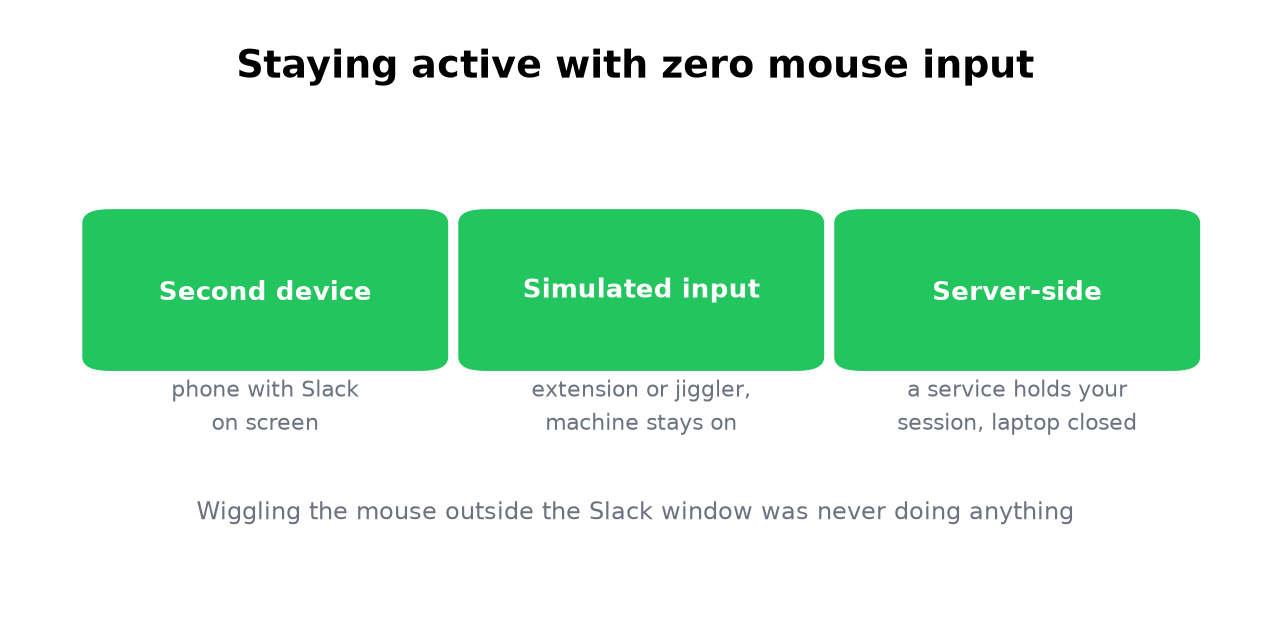
This page is the no-hands chapter of how to keep Slack active. We build Slack Green, the tool behind the third method. It started as the founder's fix for this exact problem, and the limits of our own method are listed next to the others.
What resets the activity timer
Slack counts interaction with Slack itself: typing, clicking, scrolling and switching channels inside its window. Reading without input does not count. Working in your editor or email does not count. Slack does not track your mouse outside its own window, which is why the classic advice, wiggle the mouse now and then, fails unless the cursor happens to sit over Slack.
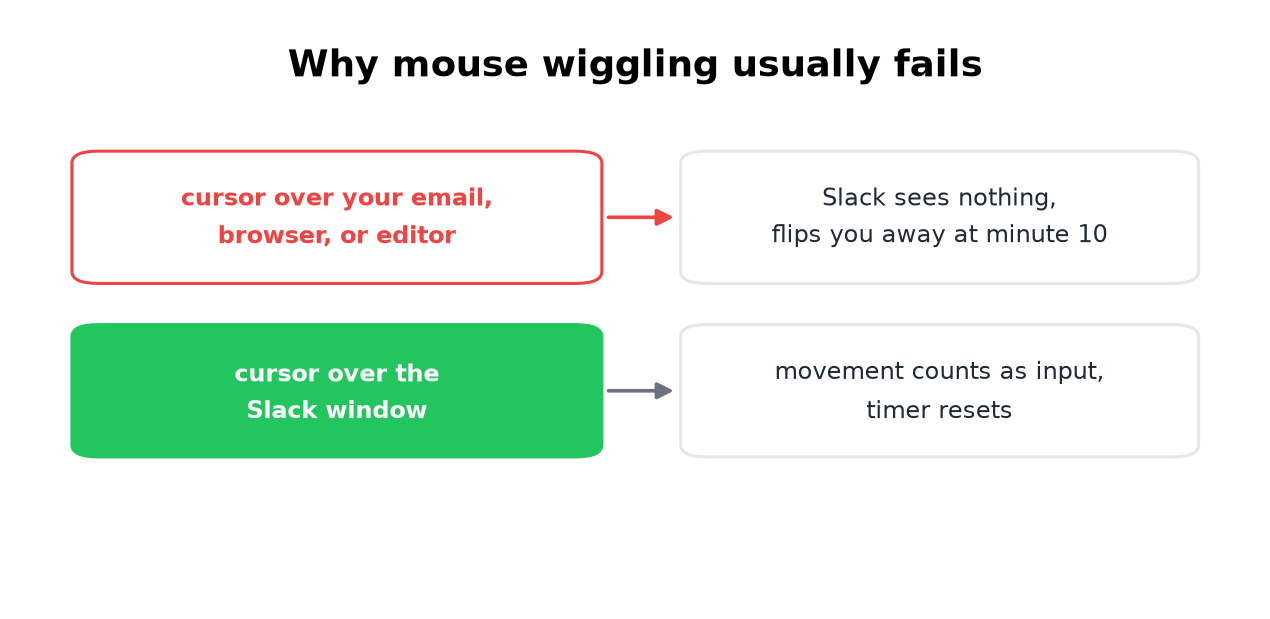
Two claims you will see in other guides are wrong:
- • "Slack waits 30 minutes." Slack's own help article gives 10 minutes on desktop, and a phone flips you to away as soon as you leave the app. The per-device timers, including why sleep flips you at once, are in how long does Slack stay active.
- • "There is a setting to turn it off." There is none, on any plan, as covered in can you change Slack's away time.
- Plug the phone in.
- On iPhone, open Settings, then Display & Brightness, then Auto-Lock, and pick Never. On Android, open Settings, then Display, then Screen timeout, and pick the longest value.
- Open Slack and leave it on a channel.
- • Extension: open Slack in the browser at app.slack.com and keep that tab open. See keep Slack active in the browser.
- • Jiggler: bring the Slack window to the front, park the cursor over the message list, then start the jiggler. Picks and risks are in best mouse jiggler and can a mouse jiggler be detected. You can test one without installing anything with our online mouse jiggler.
Keyboard input inside Slack counts the same as mouse input. If your goal is only to keep your hand off the mouse, pressing Cmd+K (Ctrl+K on Windows) to jump between channels resets the timer. The three methods below are for when you do not want to touch anything at all.
The three no-mouse methods compared
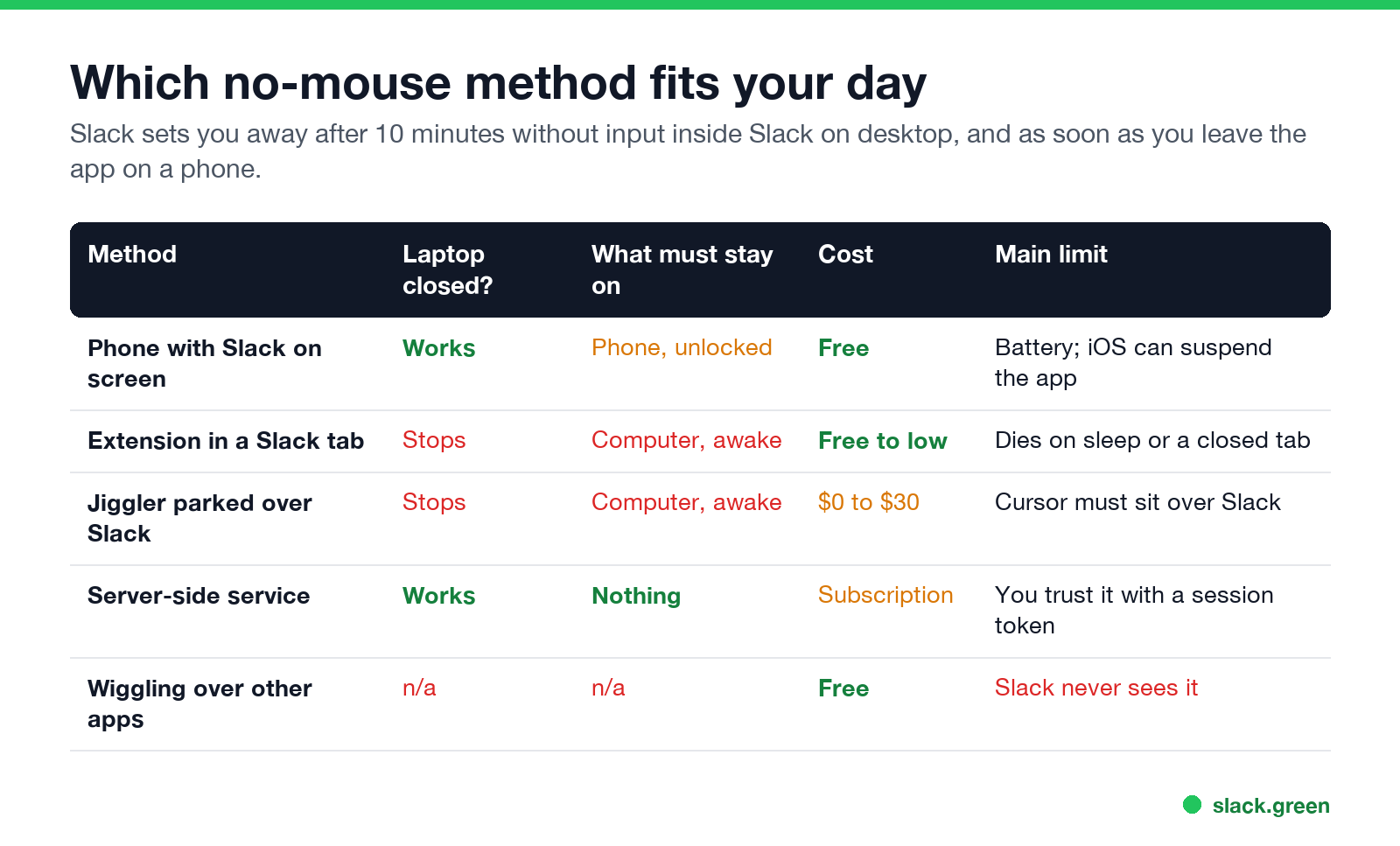
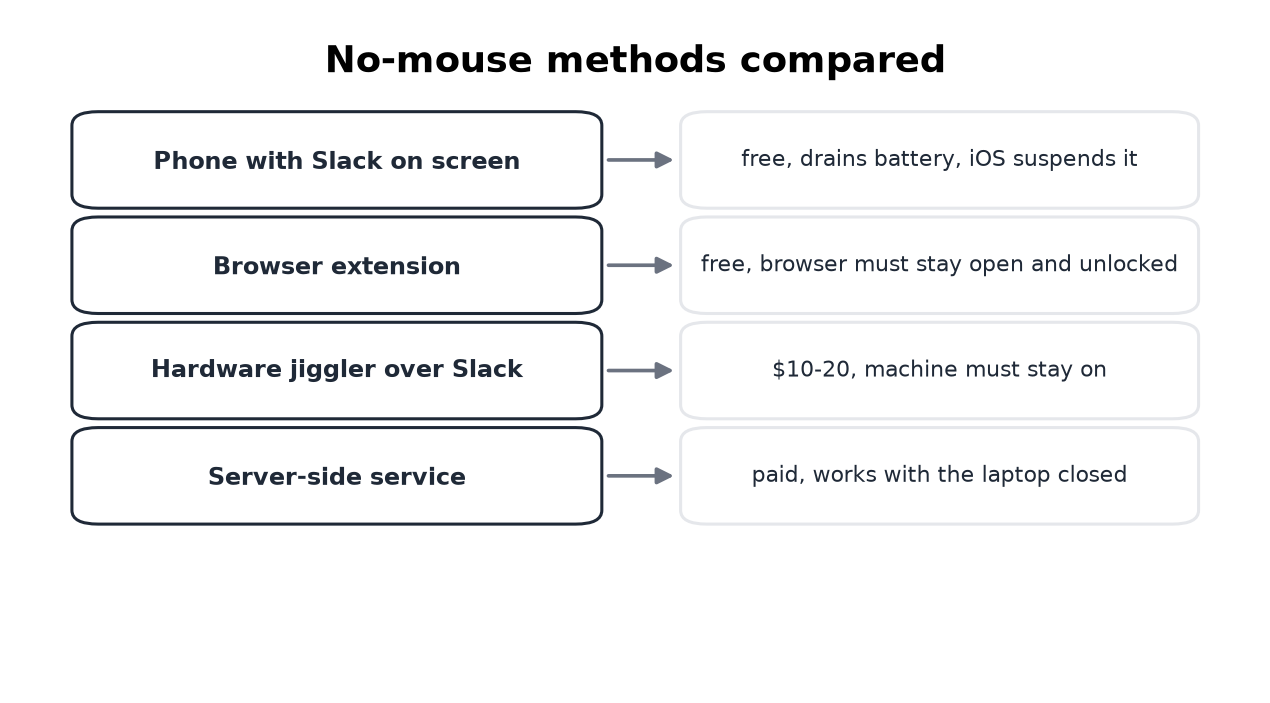
1. A phone with Slack open on screen
Slack reads presence across all your sessions, so a phone with the app in the foreground holds you green. It is free and it works right now. It is also fragile. The screen has to stay on and unlocked, the battery drains, and iOS can suspend the app when it wants.
To try it:
Turn Auto-Lock back on afterwards. The per-platform details and the cases where this fails are in keep Slack active on iPhone, keep Slack active on Android and keeping Slack active on mobile.
2. Simulated input inside Slack
A browser extension can generate activity inside a Slack tab, and a hardware or software jiggler can nudge a cursor you parked over the Slack window. Both work while the computer stays on, awake and unlocked. Both stop when the lid closes.
A keep-awake app such as Caffeine, Amphetamine or PowerToys Awake stops the computer from sleeping but sends no input, so on its own it does not keep Slack green. The Caffeine test shows this.
3. A server-side service
A service signs in as your Slack session and keeps your presence active from a server. Nothing runs on your computer, and the laptop can be closed. That is Slack Green: set a schedule and the dot follows your working hours, then goes back to normal outside them.
The cost applies to every tool in this class, ours included: you trust a service with a session token. Read the security notes before you connect one. The comparison with jigglers is in Slack Green vs mouse jigglers.
What does not work
Never appear "away" on Slack again
Cloud-based. No downloads. Works 24/7 even when your laptop is off.
Frequently asked questions
How do I stay active on Slack without moving the mouse? Use a phone with Slack open on screen, simulated input inside the Slack window, or a server-side service. Everything else is a variation of these three or does not work.
How do I force Slack to stay active? Slack has no setting for it. You either give Slack input it can see, from a phone, an extension or a jiggler over its window, or you keep your presence active from a server.
Does Slack detect mouse movement? Only inside its own window. Slack does not read system-wide mouse movement, so a cursor moving over another app does not reset the timer.
How do I stay online on Slack when my laptop is closed? Only the server-side method survives a closed lid. Simulated input needs a running computer, and a phone holds you green only while its screen stays on.
How do I stay logged in on Slack? Being signed in and being active are different things. Slack keeps you signed in until you sign out or your admin's session rules end the session. The green dot still turns gray after 10 minutes without input.
Is staying active automatically against Slack's rules? Automating your own session is a gray zone that Slack has not enforced against individuals. Your employer's policy usually matters more: will I get caught.
The short version
Slack counts input inside its own window, so the mouse was never the point. To stay active without touching anything, use a phone with Slack on screen, input simulated inside Slack, or a server that does it for you. Only the third works with the laptop shut, and it is the reason Slack Green exists. Setup takes about two minutes.
Stop Jiggling Your Mouse.
Join hundreds of remote workers who never worry about their Slack status. Set it up once, stay green forever.
Related Articles
How to Add a GIF in Slack: Picker, /giphy and Uploads
Slack has a built-in GIF picker: click the smiley face in the message field, click GIFs, search, pick one and press Send. It works on desktop and mobile with no app. The /giphy command, uploading your own GIF, and animated GIF emoji are the other ways, plus what to check when GIFs are missing.
Slack Be Right Back Status: Set a BRB That Clears Itself
Slack has no built-in be right back status. Type your own, such as BRB, back in 15, pick an emoji, and set Remove status after to 30 minutes so it clears on its own. Lines to copy, a one-click setup for next time, and why your dot still turns away.
Can My Employer Track My Work Laptop's Location? Yes, Roughly
Yes. Every time your work laptop signs in to company systems or the VPN, the logs keep its IP address and an approximate city. On managed Windows laptops, IT can also use Microsoft Intune's Locate device action to put the laptop on a map through Wi-Fi. Most laptops have no GPS chip, so the result is usually a city or a street, not a live trail. Every method, how accurate it is, and how to check.